
UHR Builder
Drop in a project zip and get a built .exe, an Android .apk, a Raspberry Pi image or a checked script package, with every build kept in one library.
Version 0.0.23 release for Windows 10 or 11. Free to use.
What it does
UHR Builder is a free Windows app that builds Windows desktop apps, Android apps and Raspberry Pi images, and checks script projects, then keeps every build organised. Drag in the project zip and the result is filed under its own build number. No command line needed.
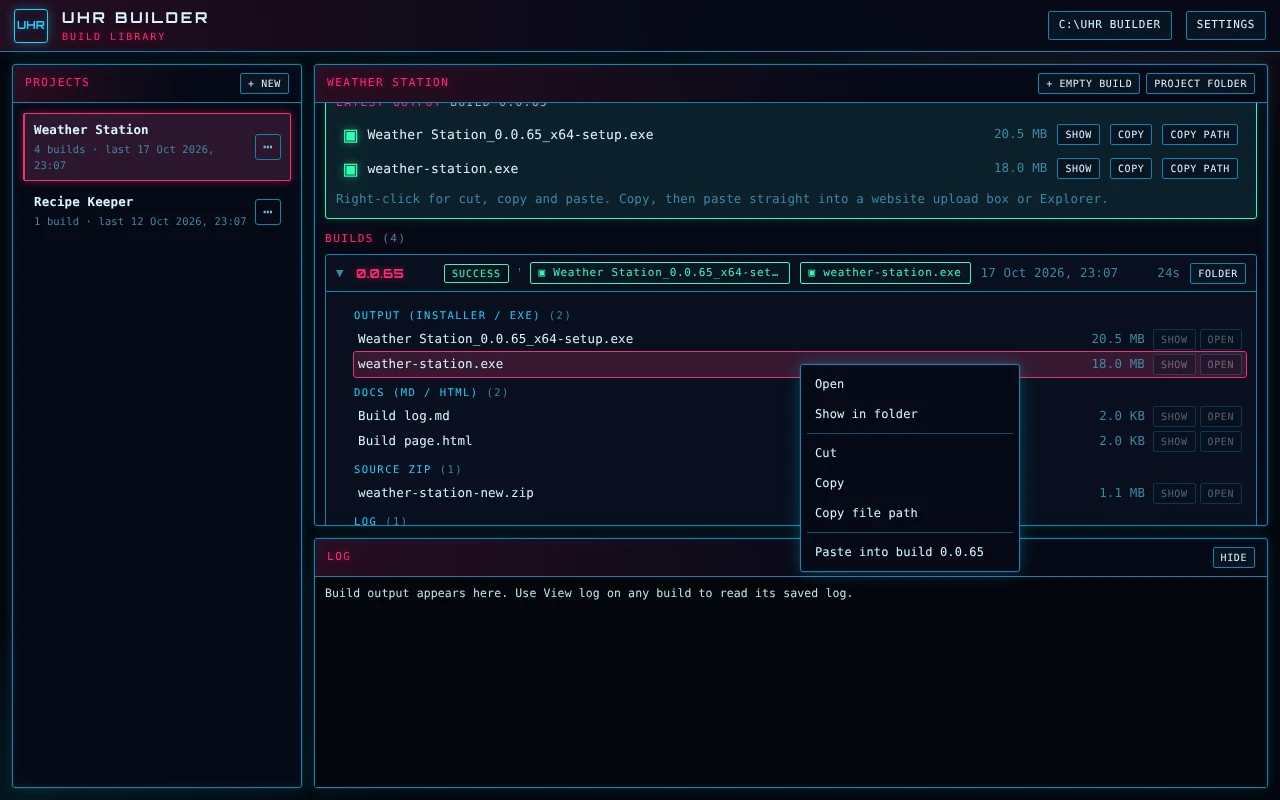
Right-click everything
Cut, copy, paste and copy file path work on any file. Copy a file here and paste it straight into a website upload box or Explorer, which makes uploading to the site much quicker.
A projects list
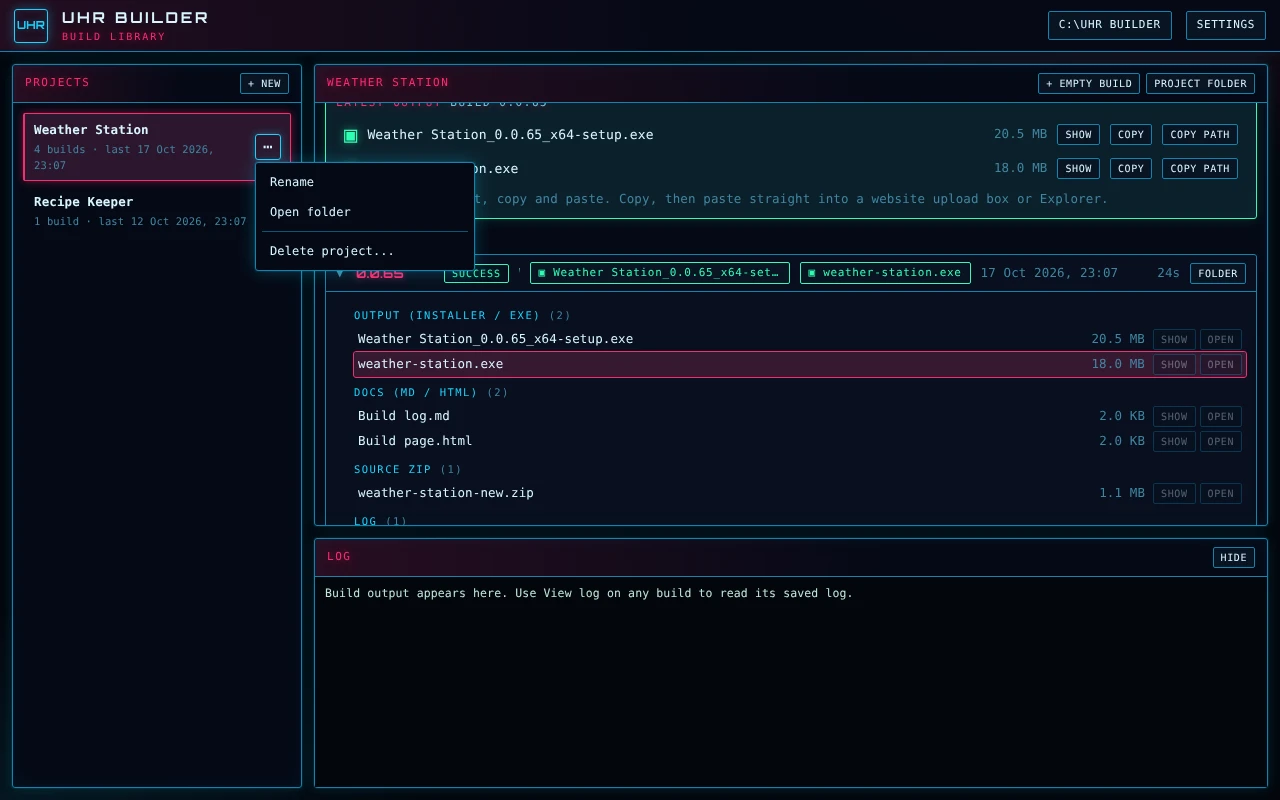
Each project has its own build tree, so several projects stay separate. Rename or delete projects and builds, always with an Are you sure prompt.
One drop box
Drag in the project zip, or the zip with its build log (.md) and single-file .html page. Any mix of files works. UHR Builder works out what kind of project it is, builds it the right way and files the result under its build number.
Automatic build numbers
Each drop becomes the next build, 0.0.64 then 0.0.65 and so on, taken from the zip name or the project's own version. The zip, docs and output are filed under that number.
Windows desktop apps
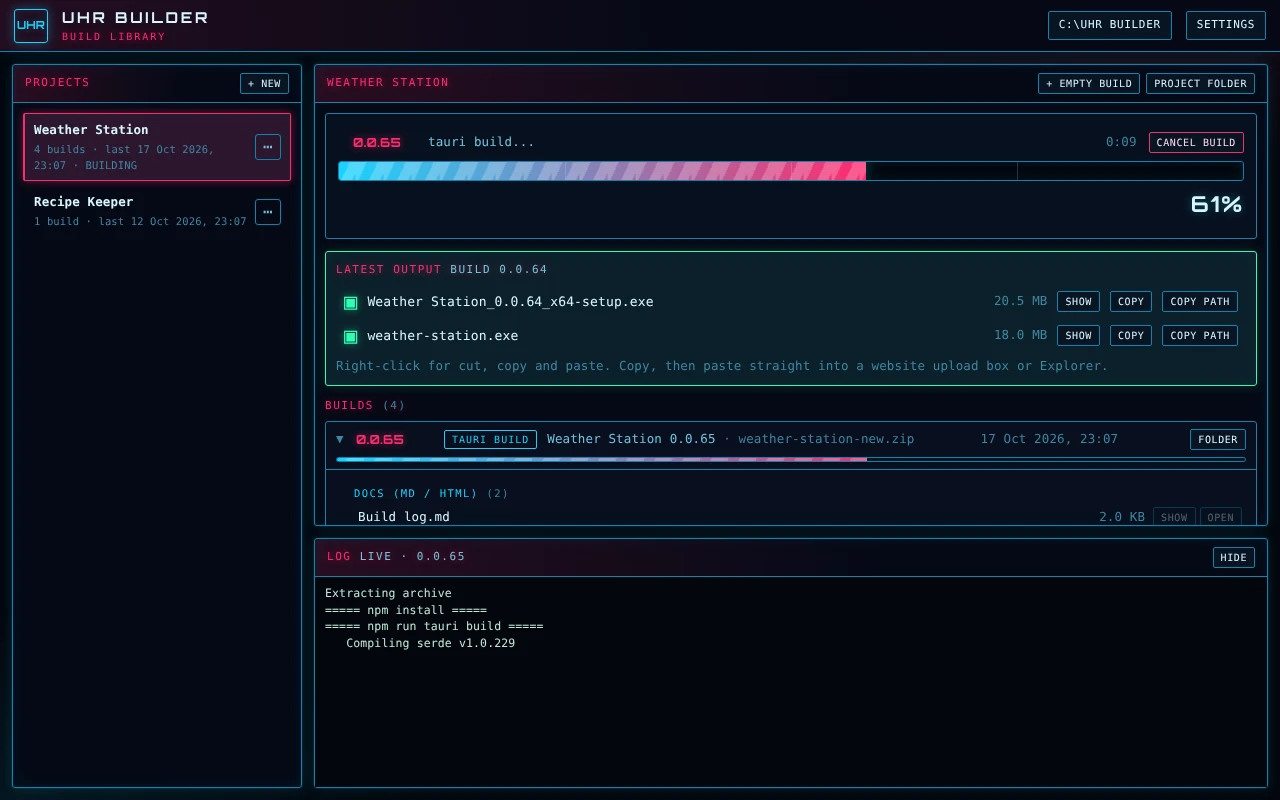
Drop a Tauri, React and Rust project zip. It is unpacked, what it needs is installed, the app is built, and the installer and exe are filed in that build's output folder. A progress bar from 0 to 100% with Cancel shows where the build is, and repeat builds reuse earlier work so they are much quicker.
The .exe is easy to find
A Latest output card shows the installer and the plain app exe, each with Show, Copy and Copy Path buttons.
Raspberry Pi images
Drop a Pi image project (pi-gen style, with an image/build.sh) and UHR Builder builds a ready-to-flash .img.xz on your own PC, the same way it turns an app project into an exe. No GitHub or online build service is needed. Flash the result with Raspberry Pi Imager (use custom) or balenaEtcher.
Pi set-up is automatic
Pi images are built inside Linux on Windows (WSL) using Docker. If your PC is missing anything, such as Linux on Windows, Docker or build tools, a pop-up lists it and offers to install it all for you, then one click carries on with your build. In Settings you choose your Wi-Fi country (needed, or Pi Wi-Fi stays switched off) and 32-bit for every Pi or 64-bit for Pi 3, 4 and 5.
Quicker repeat Pi builds
The first image takes 1 to 3 hours because it builds the whole Raspberry Pi OS base. That base is then saved, so later builds only rebuild your own part, which should take roughly 10 to 20 minutes. It uses a few GB of disk space. Settings shows its size, and a Clear cache button removes it.
Pi images from a Python image maker
Some projects make their own Raspberry Pi image with a Python script (build_image.py) instead of pi-gen. Drop the zip and UHR Builder runs the script for you: it downloads Raspberry Pi OS Lite, adds the project and writes a flashable .img. No Linux or Docker is needed, only Python 3 on your PC.
Download once, build many
The Raspberry Pi OS download is kept, so only the first build downloads it (about 500 MB). Each image is roughly 2.5 to 3 GB. A progress bar follows the download and the unpack, and a failed or cancelled build never leaves a half-made image behind.
Android apps (.apk)
Drop an Expo or React Native project zip and UHR Builder builds an Android .apk you can install on a phone, filed in the build folder and named from the app's version, for example UHR-Remote-0.1.0-build3.apk.
Build Android your way
In Settings choose to build on Expo's servers, which needs a free Expo account and nothing to install and takes about 5 to 15 minutes, or on your own PC, which needs JDK 17 and the Android SDK. UHR Builder checks the tools first and tells you plainly what is missing, and in the cloud route the finished apk is downloaded for you.
Script projects
Drop a project with an install.sh and no app to compile, such as a PHP web dashboard for a Pi. UHR Builder checks every PHP, shell and Python file for syntax errors, then files the zip as the finished package. A mistake fails the build and names the file and line, so errors are caught before anything is copied to the Pi.
What the script check does
It is a syntax check only and does not run the program. It needs Linux on Windows (WSL), the same one used for Pi images, and PHP checking also needs PHP installed there. If either is missing the checks are skipped with a note and the zip is still filed.
A full history
Every build gets its own folder with the source zip, output, notes, docs and saved log, so you can look back at any build and find all its files in one place. Nothing is overwritten, because every build is kept under its own number.
Build log and notes
A build log panel has Copy and .txt buttons, and the .txt opens in Notepad. Each build also has a notes box for what changed and what to test.
Your library, your place
Choose where your library lives. The installer can remove it on uninstall.
Update available check
Like the other suite apps, it checks ultimatehamradio.com and tells you when a new version is out.
Neon dark theme
The same Neon dark look as the rest of the suite, with UHR Builder's own build number in the header.
Before you start
Windows 10 or 11. Tauri app builds need Node.js, Rust and the Tauri build tools already installed on the PC. Pi images made with pi-gen and script checks need Linux on Windows (WSL), and Windows can set up WSL and Docker for you. Pi images made by a Python image maker need only Python 3. Android builds need a free Expo account, or JDK 17 and the Android SDK to build on your own PC. The first Pi image needs an internet connection and a few GB of free disk space. It runs one build at a time.
Download UHR Builder
- Version
- 0.0.23 (release)
- Released
- 10 November 2026
- File size
- 2.6 MB
- Works on
- Windows 10 or 11
- Price
- Free, donations welcome
What's new
Builds: It starts the preview (APK) and production (AAB) builds on Expo together, checks on them every 30 seconds, and downloads each file when it finishes.
Output: You get UHR-Remote-0.0.16-build17.apk and .aab, plus a small notes .txt. The notes list the version, versionCode, both Expo build ids, the date and time, and whether it was sent to Google Play and on which track.
Settings: Right-click a project and choose Android options. The choices are:
Build APK (on by default).
Build AAB (on by default).
Send the AAB to Google Play (off by default), with track and status.
The dialog also shows whether an Expo token is set and the last versionCode sent.
Safety rules: It only sends after the AAB has finished, and it refuses a versionCode that isn’t higher than the last one it sent. It logs “Sending UHR Remote 0.0.16 (17) to Google Play: Internal testing, Draft” before uploading, and explains Google’s errors in plain words.
Same-day failures: If the APK or AAB build fails or the Google Play send fails, the build is marked failed. Whatever did build stays in the output folder.
Guides: The first-time guide, in Settings and as a separate .txt, now has the one-time Google Play set-up. I also updated the capabilities .txt for the website.
Unchanged: The “on this PC” route still builds an APK only.
Keep the Ultimate suite free
Every Ultimate programme is built and supported in my spare time. If this one helps your operating, a donation covers development and testing.