
UHR Remote
Watch and work UHR Decoder from your phone or tablet: live decodes, the waterfall, band and mode, and alerts for the stations you want.
Version 0.0.1 test build for Android phone and tablet. Free test build.
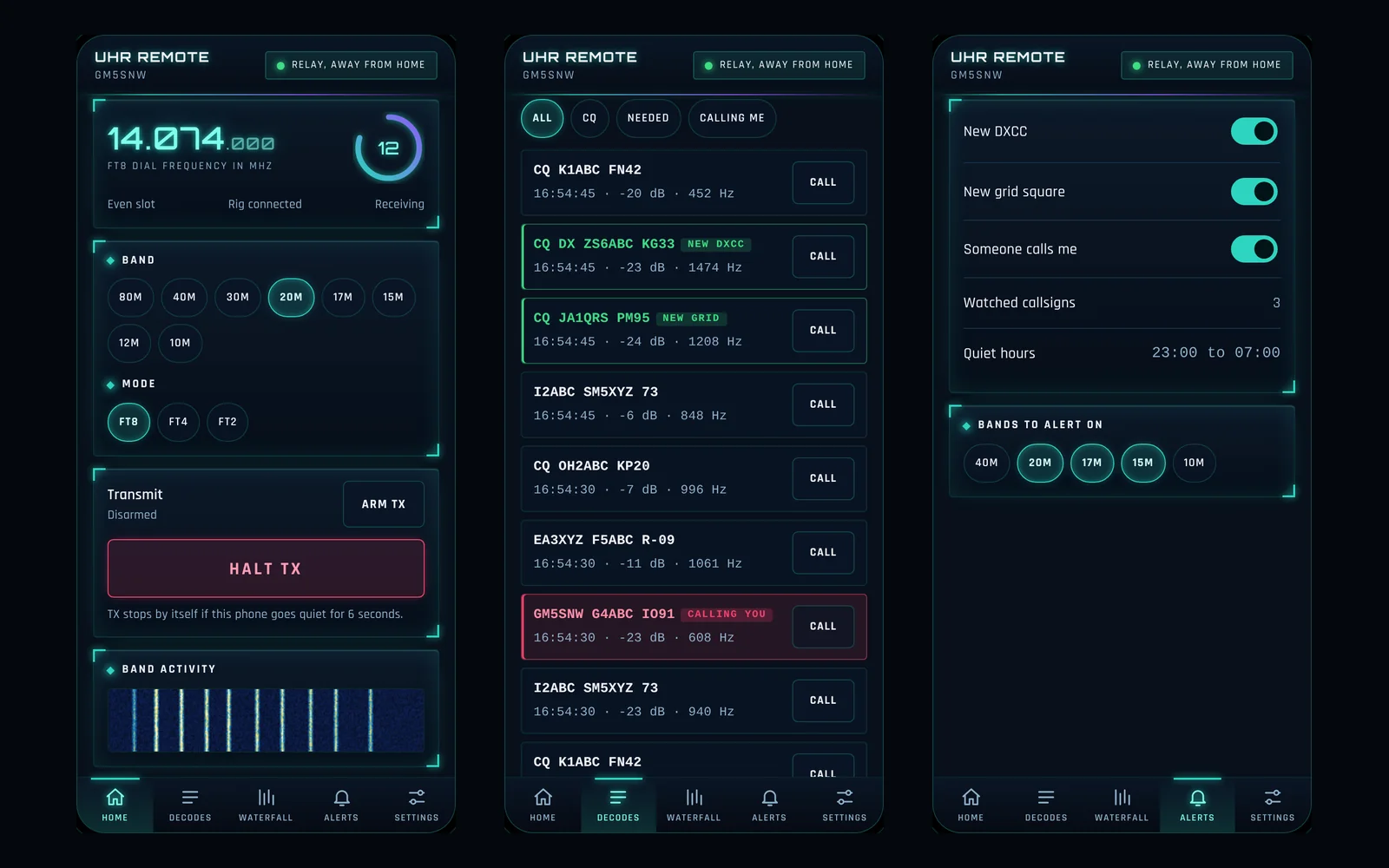
First test build. UHR Remote is new and still taking shape. The screens on this page are from the current design, and some things will change as it is tested. Because it is not on an app store yet, you download the file below and install it yourself. The steps are further down this page.
What it does
UHR Remote is the phone and tablet companion for UHR Decoder. Pair it with the Decoder on your PC and see what is being decoded from the sofa, the garden or the other side of the house. It is an early test build for Android, so it is a manual download for now and is not on an app store yet.
Your decodes, live on your phone
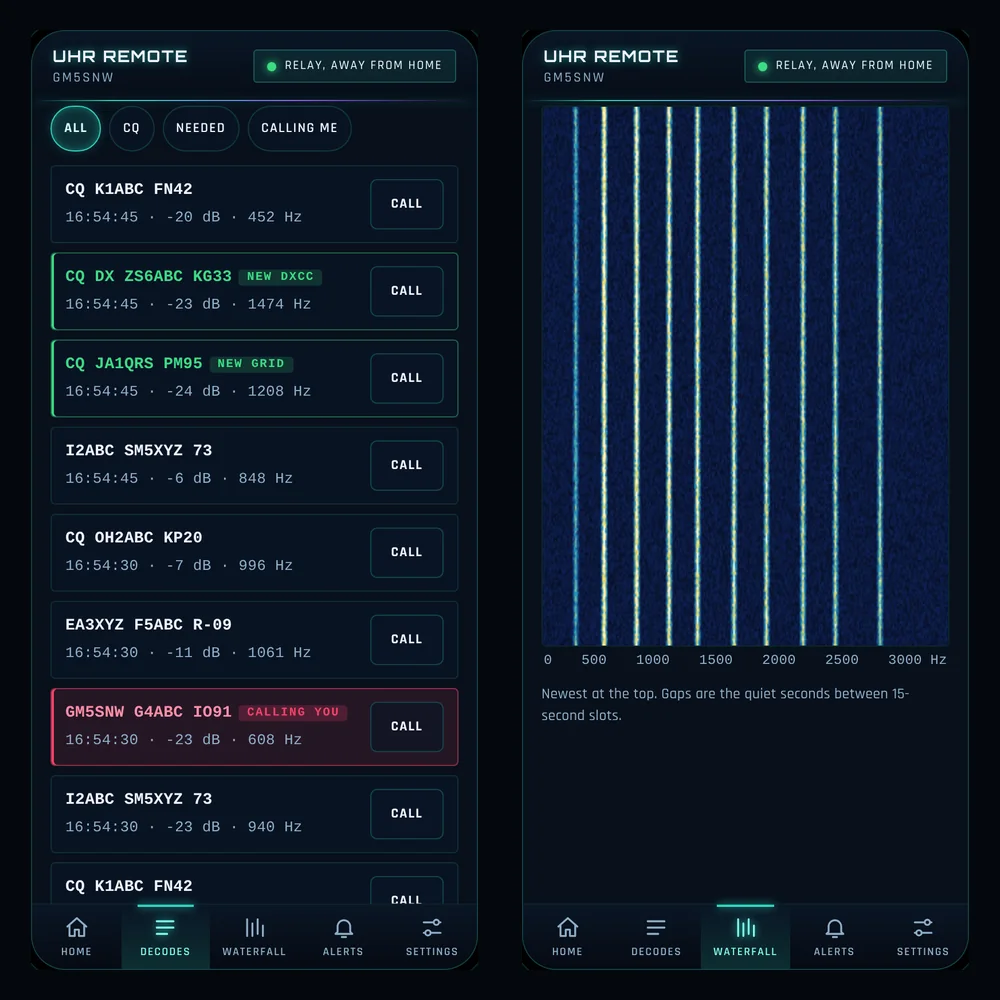
Every decode appears as it arrives, with its time, signal report and audio frequency. Filter to All, CQ, Needed or Calling me. New DXCC and new grid stations are tagged, and a station calling you stands out in red, with a Call button beside each one.
Alerts for what you want
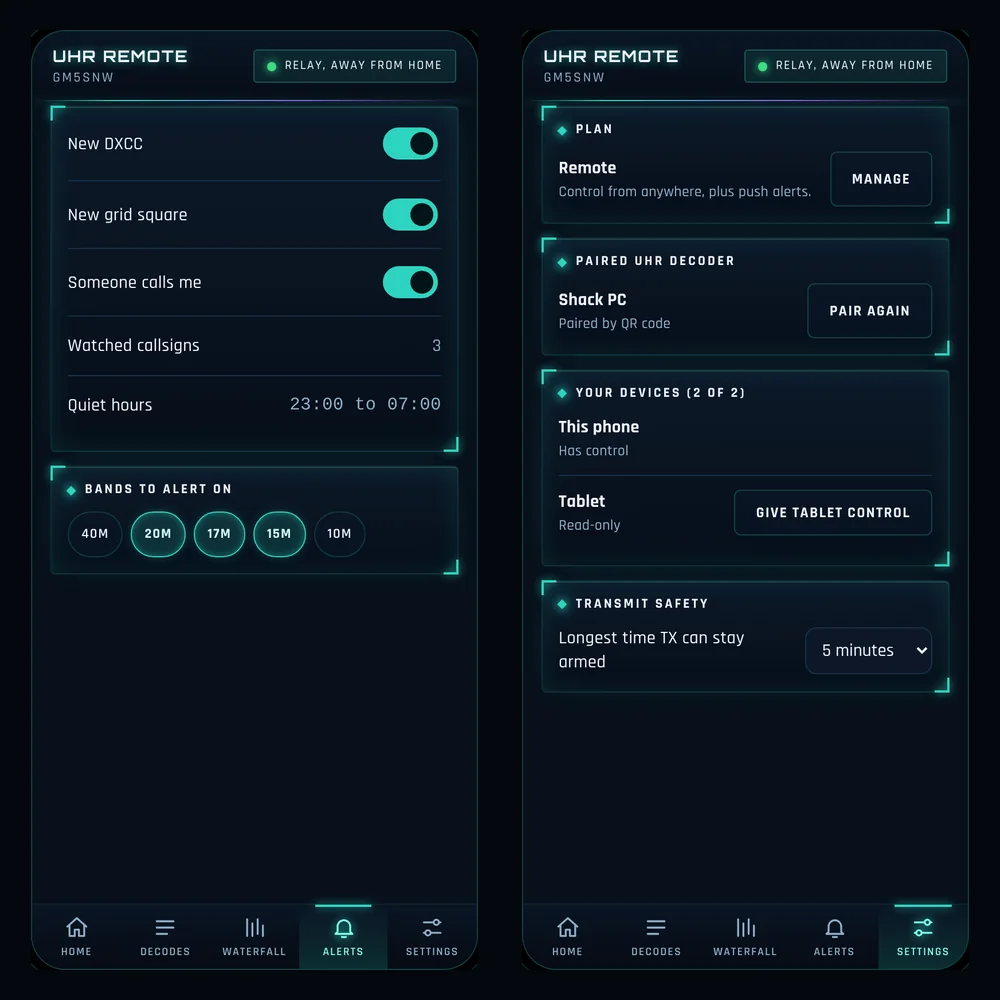
Switch on alerts for a new DXCC, a new grid square or someone calling you, add callsigns to watch, set quiet hours and pick the bands to alert on.
Phone and tablet
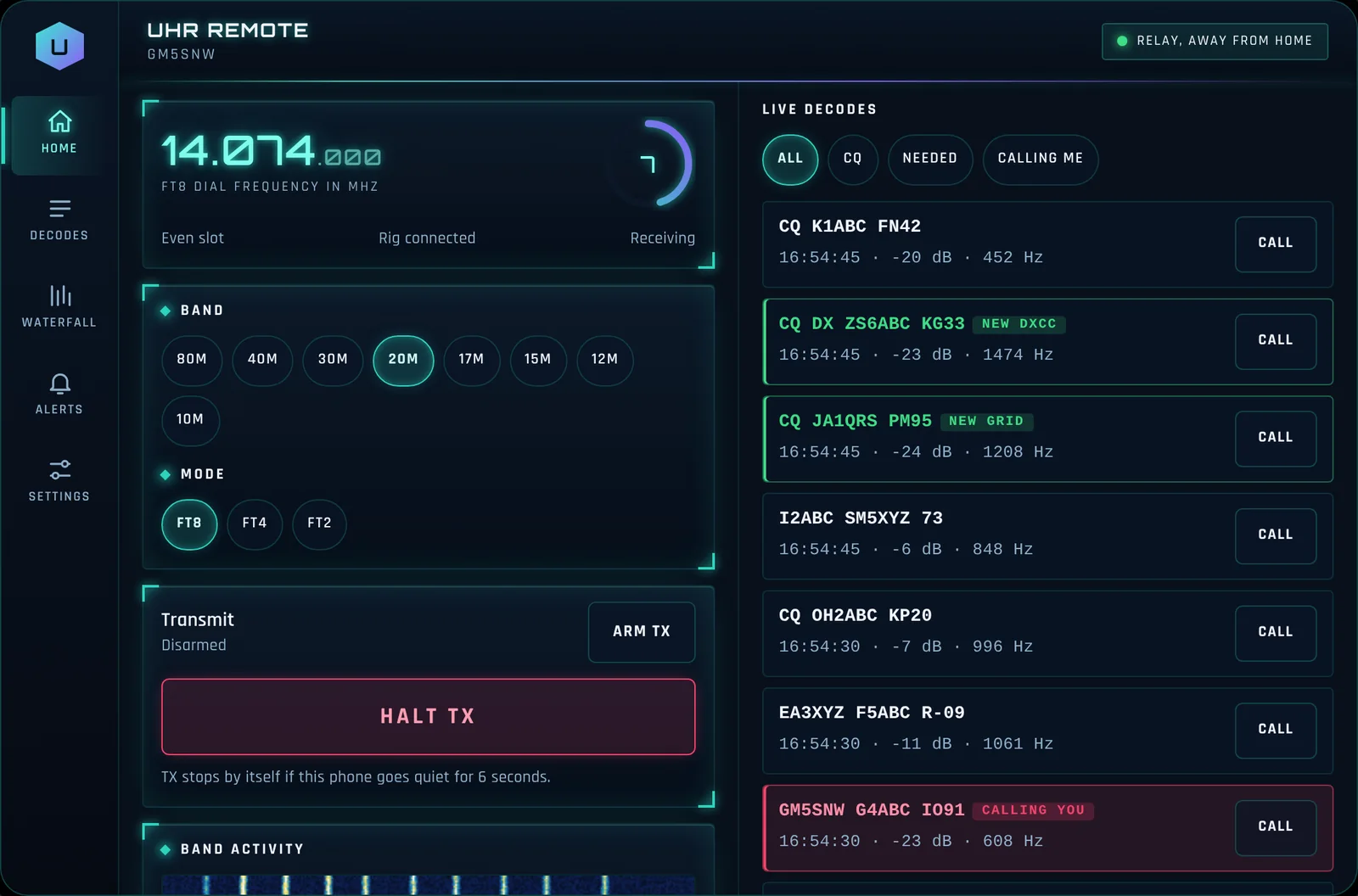
The same app fits a phone or a tablet. On a tablet the controls and the decodes sit side by side, and you can sign in on both a phone and a tablet.
Watch first, control when you choose
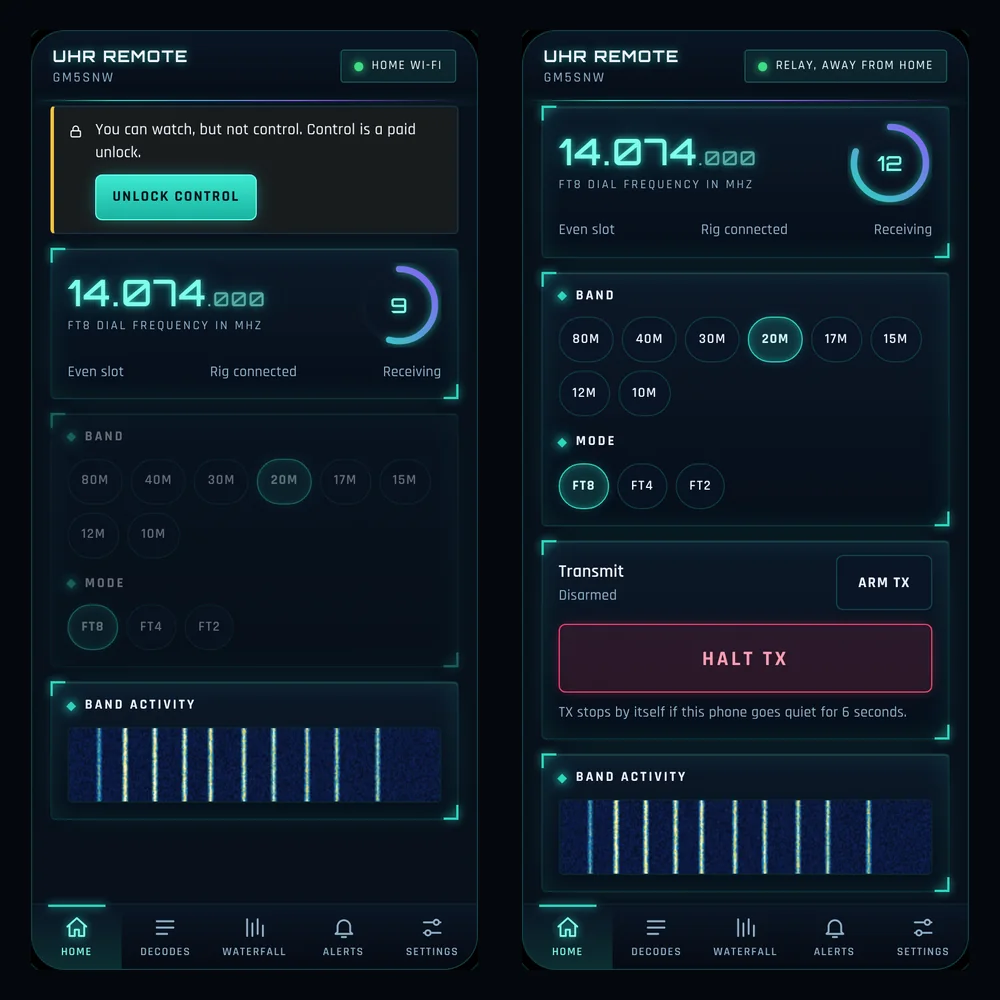
You can watch decodes without being able to transmit or change anything. Control, and use away from home, are planned as separate options, so the free view stays simple.
The dial and the slot timer
The Home screen shows the dial frequency in large digits, the mode, whether the slot is even or odd, whether the rig is connected, and a ring counting down the seconds to the next slot.
The waterfall, in your hand
A full waterfall from 0 to 3000 Hz shows the signals across the band, with the newest at the top and the quiet seconds between slots visible as gaps. A small band activity strip sits on the Home screen.
Change band and mode
Tap a band from 80m to 10m, and choose FT8, FT4 or FT2, and UHR Decoder follows.
Transmit with a safety net
Arm TX to allow transmitting and press Halt TX to stop at once. Transmit also stops by itself if the phone goes quiet for 6 seconds, and you choose the longest time it can stay armed.
One device in control
Only one device can control UHR Decoder at a time. Hand control to your tablet or take it back with one tap, and the other device stays read-only until you do.
Pair by QR code
Pair the app with your UHR Decoder using a QR code. Your Decoder is shown in Settings, and you can pair again whenever you need to.
The same look as the suite
UHR Remote uses the same dark HUD design as UHR Decoder and the other Ultimate programmes.
Before you start
You need UHR Decoder running on your PC, and an Android phone or tablet. To begin with, your phone and your PC need to be on the same Wi-Fi network.
Download UHR Remote
- Version
- 0.0.1 (test build)
- Works on
- Android phone and tablet
- Price
- Free test build
What's new
This is an early build that is still being tested. If something does not work, please let me know.
Getting started
- Download the UHR Remote file with the button above, straight onto your Android phone or tablet.
- Open the file. Android will ask you to allow installs from the app you used to download it, such as your browser or Files, because UHR Remote is not on an app store yet. Allow it just for this install.
- Open UHR Remote and pair it with UHR Decoder on your PC using the QR code.
- Watch your decodes, and tell me what works and what does not.
Keep the Ultimate suite free
Every Ultimate programme is built and supported in my spare time. If this one helps your operating, a donation covers development and testing.