
UHR Network Trace
Draw your home network and see at a glance what is connected.
Version 1.0.16 release for Windows 10 or 11. Free to use.
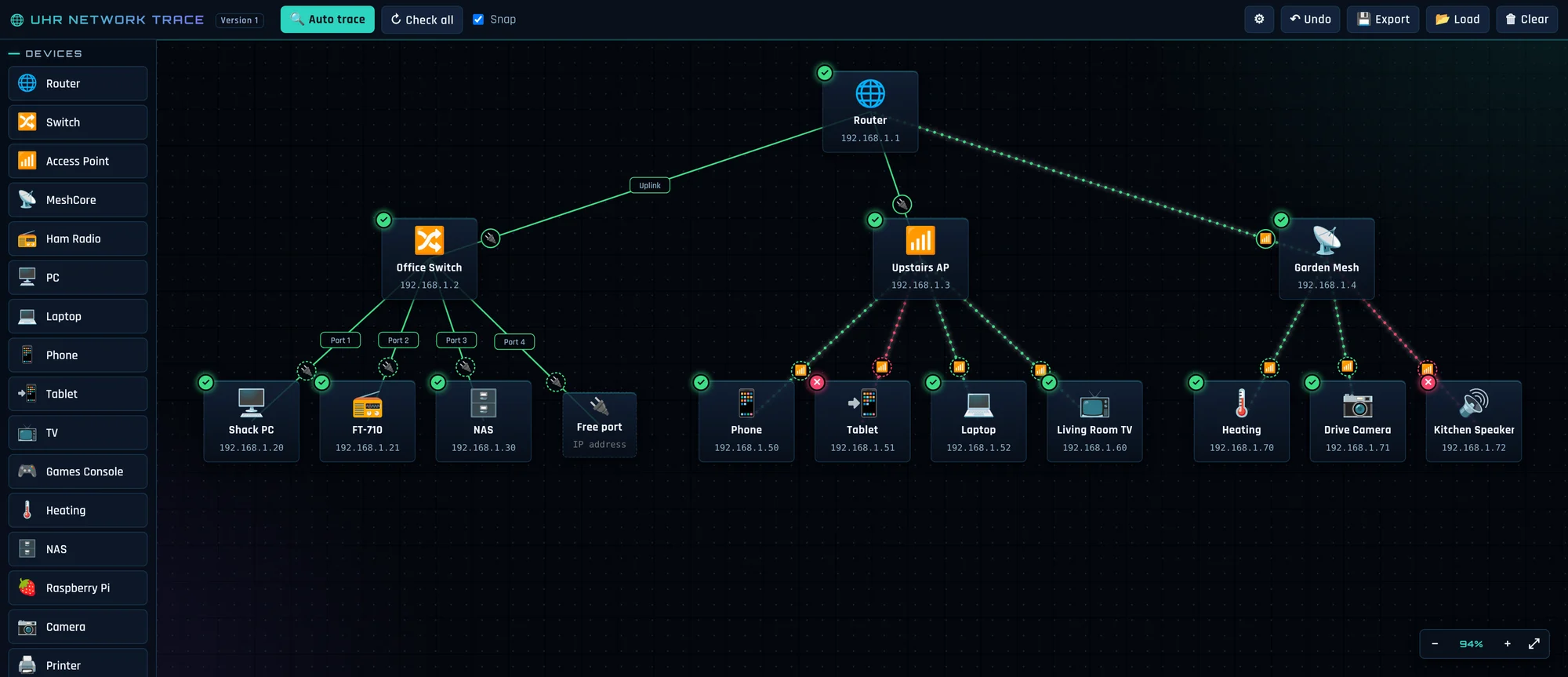
What it does
UHR Network Trace is a small tool for mapping the network at home or in the shack. Drag devices onto the canvas, wire them through switches and access points, and keep the details you need for each one in the same place.
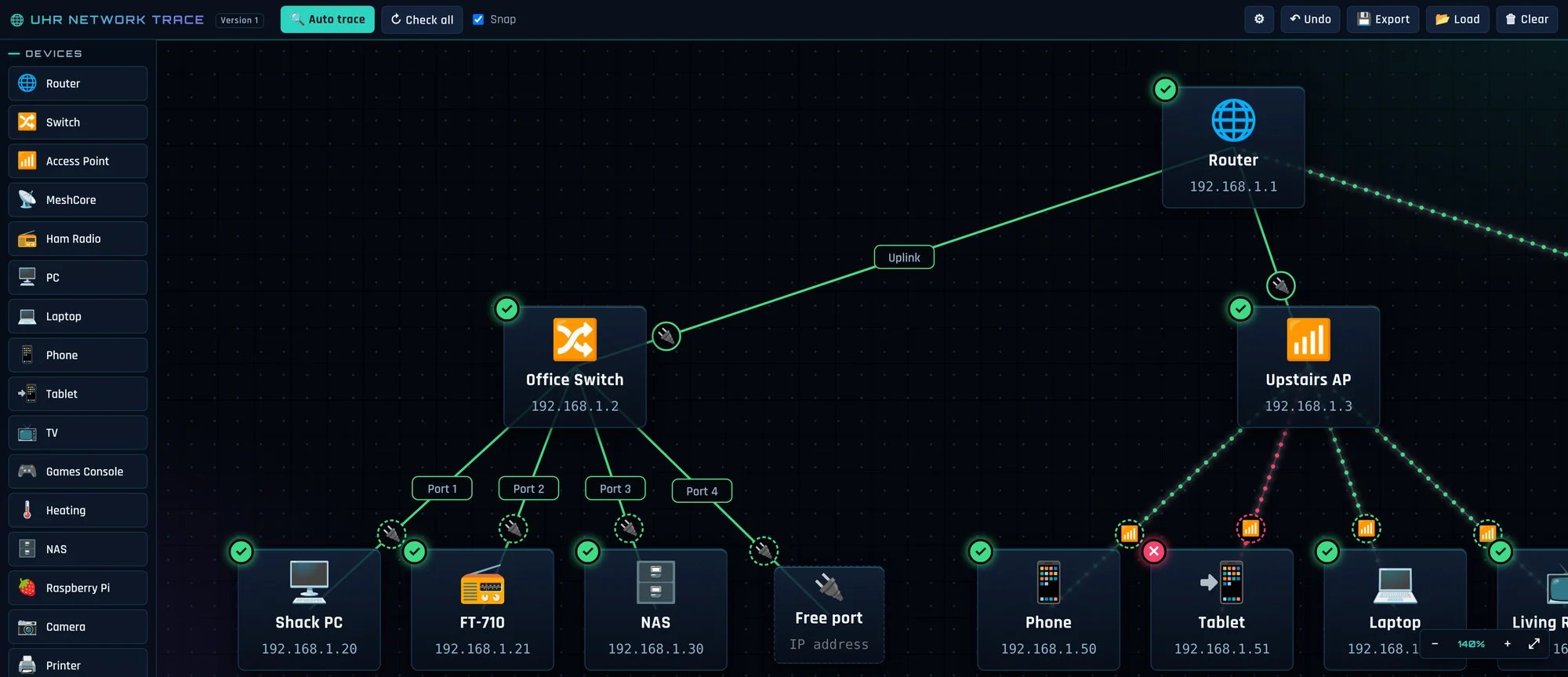
Wired and wireless, at a glance
A solid line is a cable and a line of half-circles is wireless. Each link has a little badge you can click to change it, and green and red marks show which devices are responding.
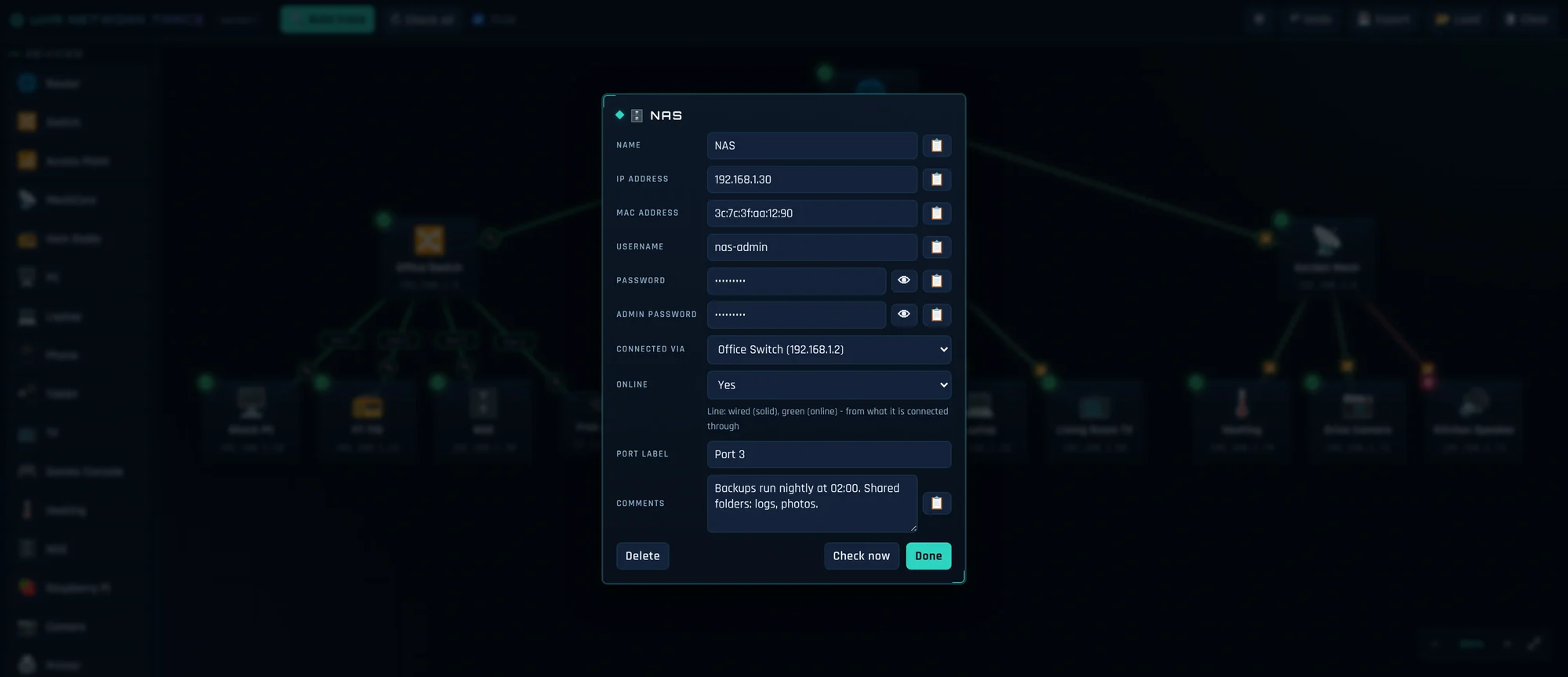
Login details with copy buttons
Double-click any device to keep its IP and MAC address, username, passwords, port label and comments together, each with a copy button.
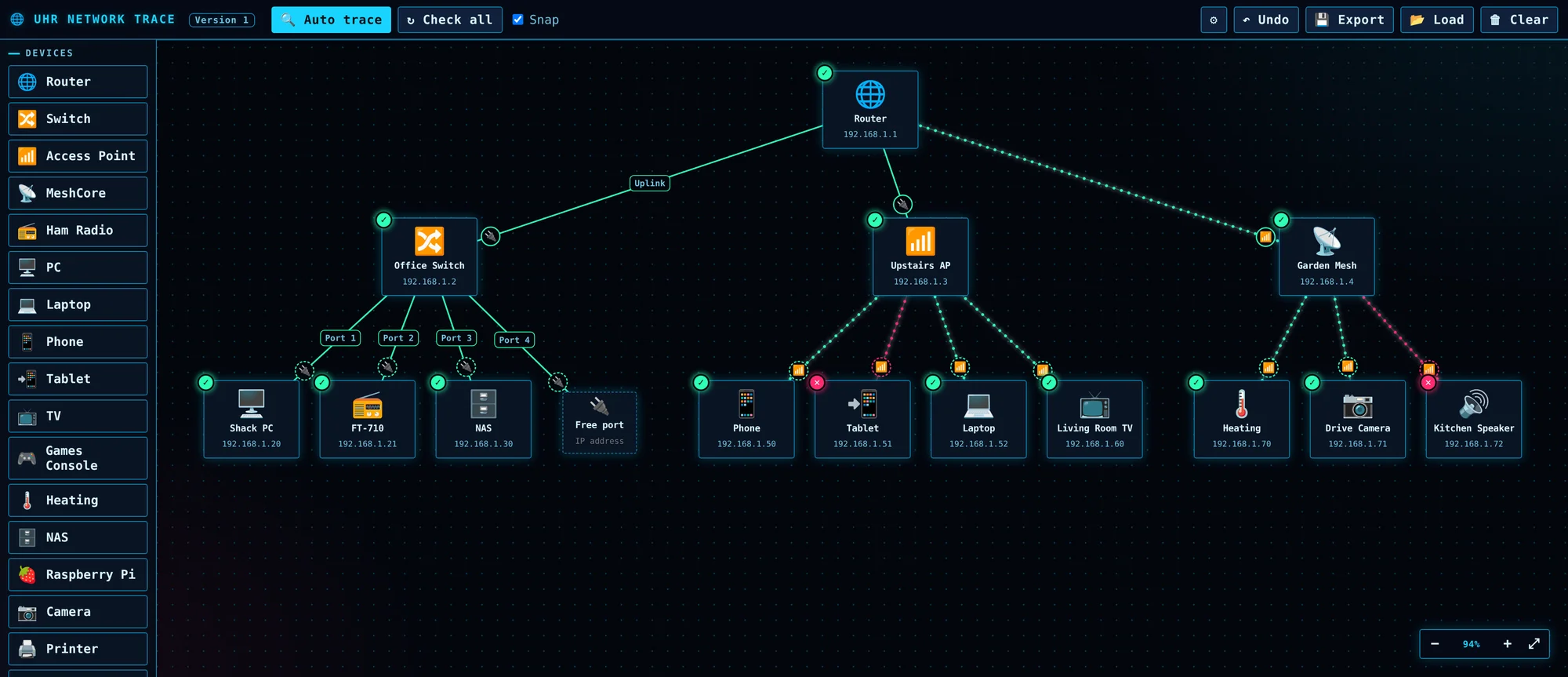
Dark, Light and Neon
Pick the look that suits your shack in Settings. All three themes are one click away.
Auto trace
Run an auto trace to find the devices on your network and add them for you, linked to your router and marked connected, ready to drag into the layout you like.
Drag and drop your devices
Choose from twenty kinds of device, including router, switch, access point, ham radio, PC, Raspberry Pi, NAS, camera and smart devices, and drop them where they make sense.
Wire things through switches
Drag the blue dot under a device onto a switch or access point to connect it through that, and label the port.
Check all
Check which devices respond with one click.
Zoom, pan and undo
Zoom with the mouse wheel, drag the map to pan, fit everything on screen, and undo your last changes.
Save and load your map
Export your network to a file and load it back later. The file holds passwords, so keep it safe.
Download UHR Network Trace
- Version
- 1.0.16 (release)
- Released
- 5 November 2026
- File size
- 2.1 MB
- Works on
- Windows 10 or 11
- Price
- Free, donations welcome
What's new
1.0.16: Sharper, 4K-looking text and icons. Emoji replaced with crisp vector icons in the Dark, Light and Neon themes.
1.0.16: Larger device icons and text, with slightly wider device boxes so long names fit.
1.0.15: “Are you sure?” confirmation before Clear (Cancel is the default).
1.0.15: Browser button in every device box, plus a Settings choice of browser and an optional https setting.
Keep the Ultimate suite free
Every Ultimate programme is built and supported in my spare time. If this one helps your operating, a donation covers development and testing.